


|
No videos have been uploaded for this game yet.
There are no screenshots to display. 
Genres:
Card / Board / Parlor
Release Date: July 2, 2004 Developer: KONAMI Official Website: Joey the Passion 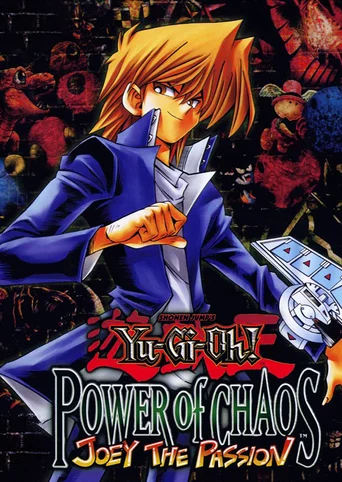 Recreate all the thrills and intensity of the "Yu-Gi-Oh! TRADING CARD GAME on your PC! Your opponent is none other than Joey himself, with plenty of tricky decks up his sleeve. With cards like Panther Warrior, Skull Dice and Kunai with Chain at his disposal, when Joey issues a challenge with the same viuce you've heard on TV, you'd better be ready to fight! Combine with "Yugi the Destiny" and "Kaiba the Revenge" to take advantage of exciting extras! Use cards and decks from other "Power of Chaos" titles in this latest version! "Joey the Passion" contains hundreds of previously unavailable cards for even more strategic options! It's time to break out those combos! Save game data location
The game creates the folder Yu-Gi-Oh! Power of Chaos Common in the folder that also contains the game installation. The following files can be found in it:
Game Progress & Saved Decks Game Progress Transfer/Backup
¹ flcrc contains a hex representation related to the game progress. ² CommonDir contains the path to the game's common folder.
Notes: This method works for all the Yu-Gi-Oh! Power of Chaos games, as they share one common folder and registry entry. Parameters for shortcut
-Lspa => Game text is Spanish. -Lita => Game text is Italian. -Lfra => Game text is French. -Lger => Game text is German. -Leng => Game text is English. -Ljpn => Game text is Japanese. -fps => FPS tracker appears in upper-left corner -speedy => Faster animations (60 FPS cap) (Only available in 2.0 version) -e => Use software emulation -h => Use hardware acceleration (probably for sound) -nosound => Disable game sound -win => Run in windowed mode -16 => Run in full screen 16 bit color mode -24 => Run in full screen 24 bit color mode -32 => Run in full screen 32 bit color mode |
OS:Windows 98/ME/2000/XP
CPU:Pentium II 450MHz RAM:128MB OS:Windows 2000/XP CPU:Pentium III or Athlon 650MHz (Recommended) RAM:512 MB (Recommended) DirectX:8 / Direct Draw (No 3D Acceleration) Video card:Any compatible with DirectX 8.0 HDD:500MB of free hard drive space *Link Duels in LAN or through the Gameranger software online |
||||||||||