Popular Videos

No videos have been uploaded for this game yet.

Game Statistics
Xf1re Rank
#505 No change for 2 days
Highest: #505 on 2025-10-01
Minutes played by Xf1re users
597
Hours played by Xf1re users
10.0
Popular Screenshots

There are no screenshots to display.

Details
Genres: Card / Board / Parlor
Release Date: November 28, 2003
Developer: KONAMI
Official Website: Yugi the Destiny
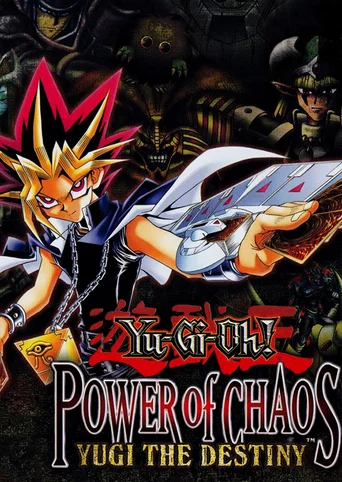

Learn to play the hit Yu-Gi-Oh! TRADING CARD GAME with Yugi! Featuring stunningly detailed graphics, card artwork and dueling fields, prepare for the most intense Yu-Gi-Oh! duels ever! Power of Chaos is an essential learning tool for beginners who want to learn and understand how to play the Yu-Gi-Oh! TRADING CARD GAME like a master!

  • Implements the gameplay and rules of the Yu-Gi-Oh! card game

  • Tutorial teaches the basics of summoning, tributes, and more

  • Duel against Yugi to collect cards and build up your collection

  • Card artwork faithfully recreated from the Yu-Gi-Oh! card game


Save game data location

  • <path-to-game>\..\Yu-Gi-Oh! Power of Chaos Common\*.ydc

  • <path-to-game>\..\Yu-Gi-Oh! Power of Chaos Common\*.ydr

  • <path-to-game>\..\Yu-Gi-Oh! Power of Chaos Common\system.dat

  • HKEY_LOCAL_MACHINE\SOFTWARE\KONAMI\Yu-Gi-Oh! Power Of Chaos\flcrc


The game creates the folder Yu-Gi-Oh! Power of Chaos Common in the folder that also contains the game installation.

The following files can be found in it:
  • The *.ydr files contain recorded demos.

  • The *.ydc files contain saved decks. The default deck in use is named deck.ydc

  • The system.dat file is related to the game progress.


Game Progress & Saved Decks

Game Progress Transfer/Backup

  • Open Yu-Gi-Oh! Power of Chaos Common folder

  • Copy any desired decks (*.ydc) and demos (*.ydr) along with system.dat and place them in Yu-Gi-Oh! Power of Chaos Common folder on the target PC. (Overwrite if necessary). If it does not exist there, make sure to launch the game at least once or search for the folder, in case it was created somewhere else.

  • Go to the game's registry entry. HKEY_LOCAL_MACHINE\SOFTWARE\KONAMI\Yu-Gi-Oh! Power Of Chaos\system

¹ flcrc contains a hex representation related to the game progress.
² CommonDir contains the path to the game's common folder.


  • Search for the game's registry entry on the target PC.

  • Either edit the flcrc key manually to match the one of the source PC, or export the key to a file so it can easily be added on the target machine. Bear in mind that the CommonDir may differ however, depending on the game's installation path, so the path may have to be modified manually as well.


Notes: This method works for all the Yu-Gi-Oh! Power of Chaos games, as they share one common folder and registry entry.


Parameters for shortcut


-Lspa => Game text is Spanish.
-Lita => Game text is Italian.
-Lfra => Game text is French.
-Lger => Game text is German.
-Leng => Game text is English.
-Ljpn => Game text is Japanese.
-fps => FPS tracker appears in upper-left corner
-speedy => Faster animations (60 FPS cap) (Only available in 2.0 version)
-e => Use software emulation
-h => Use hardware acceleration (probably for sound)
-nosound => Disable game sound
-win => Run in windowed mode
-16 => Run in full screen 16 bit color mode
-24 => Run in full screen 24 bit color mode
-32 => Run in full screen 32 bit color mode
 
Report this game

Found an issue with this game?

You can suggest a name change, suggest an icon change, report if the game is no longer available or playable, or let us know if it's not working with Xf1re.

System Requirements
OS:Windows 98/ME/2000/XP
DirectX:8 / Direct Draw (No 3D Acceleration)

CPU:Pentium II 450MHz
RAM:128MB
Video card:Any compatible with DirectX 8.0
HDD:645MB of free hard drive space